A complete help system is an essential function of mature software, aiding users in self-study, online queries, and troubleshooting.
Help Browser
Use the Help Browser to search for and view documentation and demos for all MathWorks products. The Help Browser is an HTML viewer integrated into the MATLAB desktop. Click the question mark button on the desktop toolbar to open the Help Browser.
The Help Browser mainly consists of two panels: a tree directory structure panel on the left for finding information, and a display panel on the right for displaying and viewing information.
help Function and doc Function
In addition to the Help Browser, you can use the help function to get help. Entering the help command in the Command Window provides help information for the last MATLAB command you used, as shown in Figure 1-10. Entering the name of a toolbox or function after the help function provides help information for the specified command.
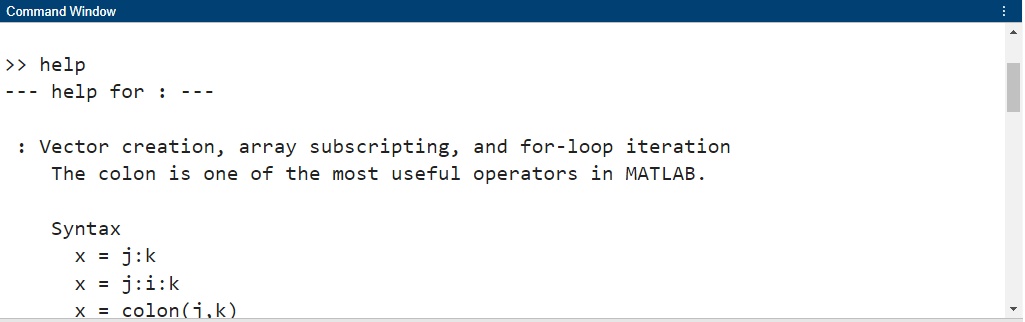
Figure 1-10 Using the help command
To get help for a specific function, you can also use the doc function. For example, the statement doc format displays the documentation for the format function in the Help Browser.